My newest project has been developing the website that you are on right now! Well... I say "developing", but in reality I have used this project as a ground to test the capabilities of building an entire website using AI models. This is what many people call "vibecoding", and generally I have a personal objection to doing software development in this way, as I think it takes the fun out of programming. But for this project I am intentionally dirtying my portfolio with code not written by me. I do however have a number of years experience writing React webapps, so I can confidently say I fully understand all the code the AI has written.
Boostrapping the website
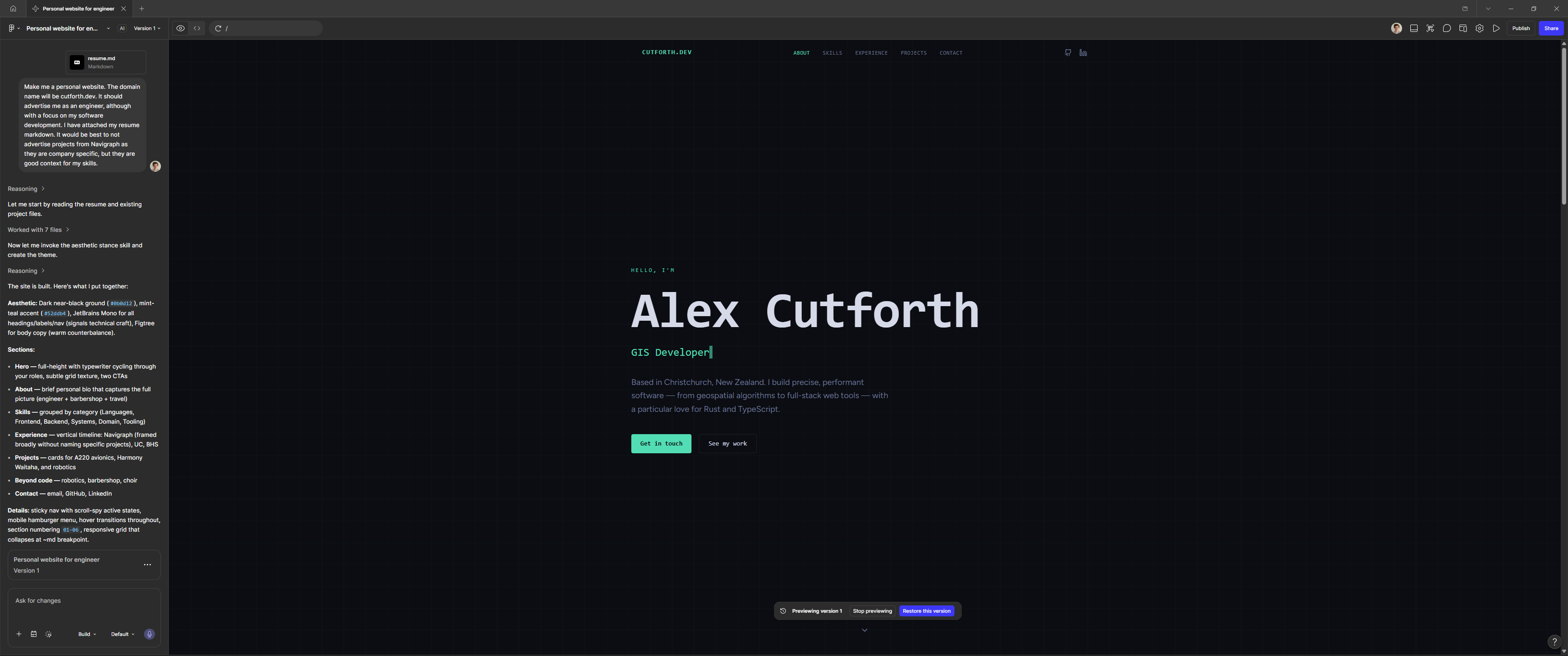
The initial design and implementation of the website was done using Figma Make. As part of the prompt I included my Markdown format CV/resume so the AI was able to generate the actual content as well. The resulting design followed the format of the CV well, and added in website specific things like a header and landing section. I am not a graphic designer, and not very good with design style, so honestly, I was quite happy with the first aesthetic it came up with. My only gripe was the lack of a headshot in the landing page, so I prompted the AI to add it, but also present an alternative aesthetic.
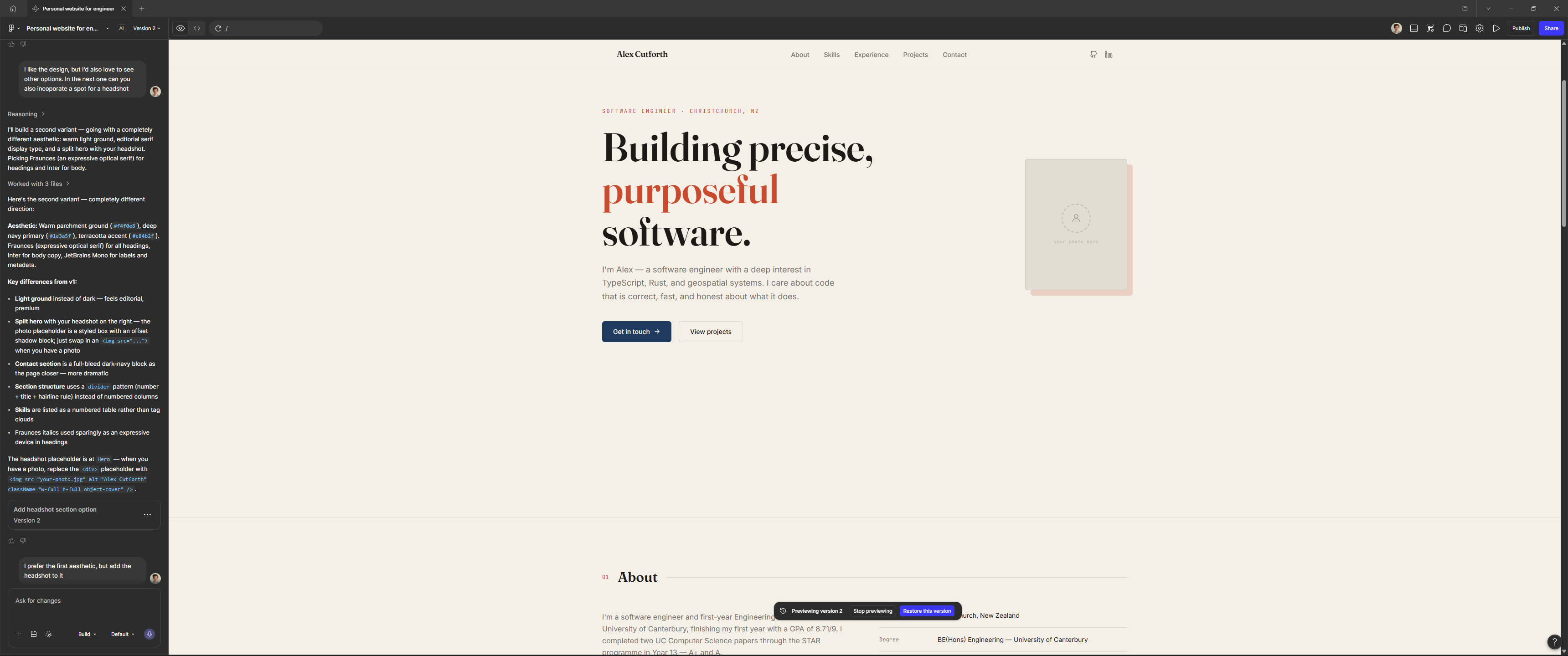
This design felt too "artsy", I prefered the techno style of the first option, so I prompted the AI to return to the original design, but add a spot for a headshot on the landing page. At this point I was happy with the design, so I took a look at the code that the AI had generated (which obviously worked well, because that was how the design was rendered). I suspect that the default code follows some form of template rather than being fully conjured by the AI each time, because the codebase the AI had generated was full of unneccessary files and content.
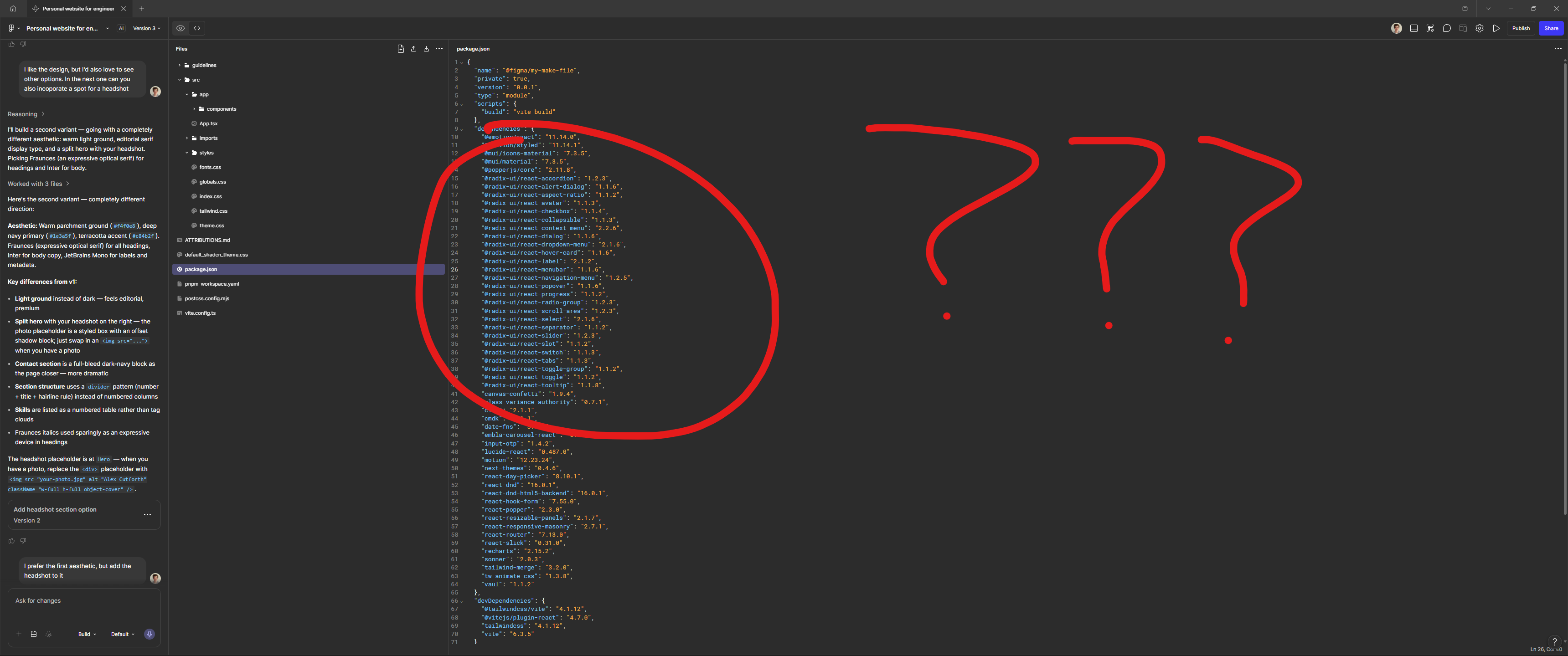
The package.json was absolutely full of unused dependencies, mostly radix-ui components. There was a css file with no content in it for some reason, and the entire webpage was in one massive file. This definitely validated my dislike for vibecoding, although in all fairness, Claude Code or copilot would probably have done a better job than Figma. I wasn't sure if Figma was capable of rewriting the code structure or just doing graphic redesigns, so at this point I started working on the codebase manually.
One of the decisions the AI made that I agreed with was the use of vite as the build system, so I stuck with this. For the Javascript runtime, I went with bun over node/npm as I find it to be much faster and more satisfying to work with. I chose to use biome as my linter/formatter. In the past I have used eslint, but I find biome to be easier to setup and less buggy. To keep with the vibecoding as much as possible, I opted to copy and paste the AI generated code into the project, although I chose to split it into multiple files to keep it easier to maintain (as every project should be). The styling was done by the AI usinng tailwindcss, which is good, as that is what I would have done if I had built the project myself.
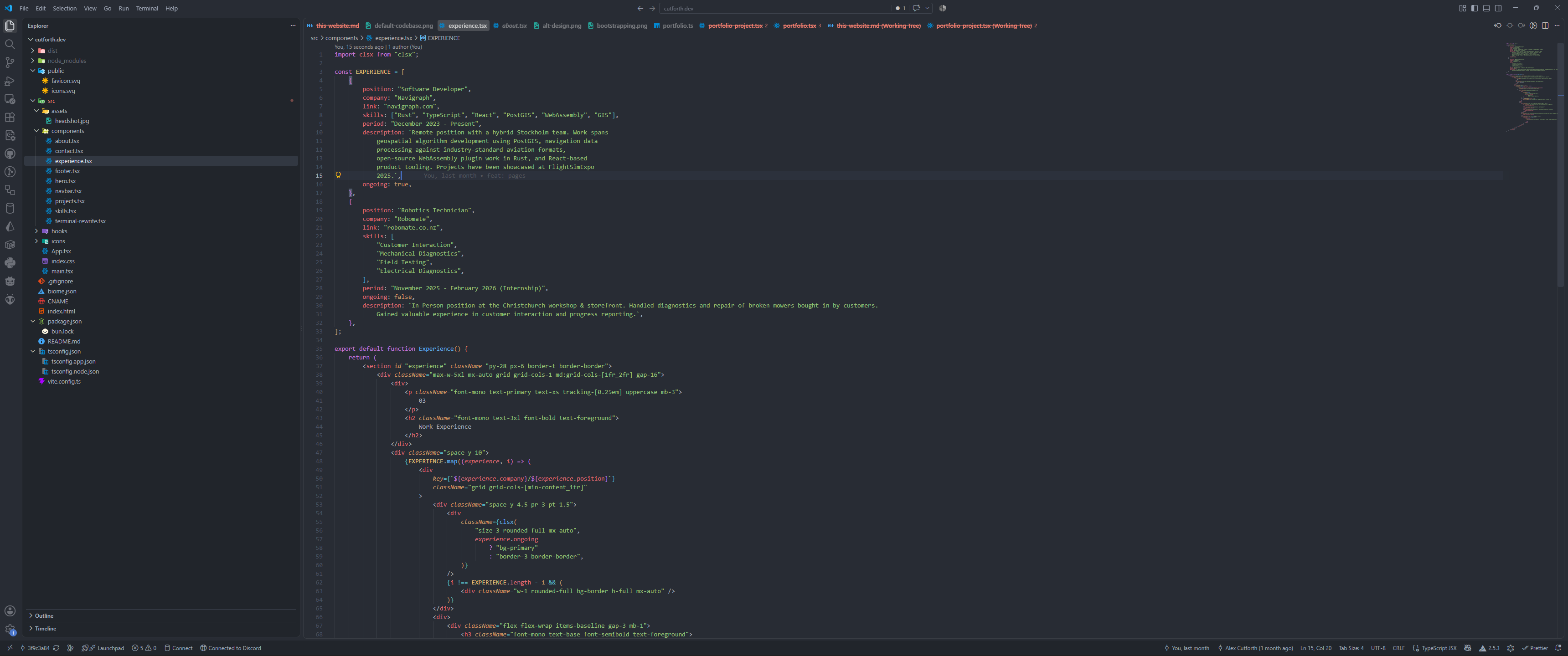
At this point I had a functional webpage, so it was time to deploy it. For hosting, I used Github Pages, as it is free and easy to integrate into a github repository. Github pages do not host webservers, instead they deliver static files. This was suitable for my project, as no server side functionality is required. This website bundles to just an index.html, index.js, and index.css (and all the assets), which are easily served by Github Pages. URL routing can be handled using client side logic to reduce the bundling complexity, although at the cost of requiring the Javascript for the entire site to be loaded for every page. To make deployment easier, I setup some basic continuous integration. A github action runs whenever code is pushed to the main branch, which builds the codebase, and sends it to Github pages to serve.
Some extra details I added later to the website include:
- An interactive grid on the landing page (lightens the hovered areas). This was done mainly using CSS, but requires a little javascript to update the position of the cursor as a CSS variable
- Entry animations when first viewing each section. Done using CSS for the animations, but uses the Javascript IntersectionObserver API to trigger the animations when the sections enter the view
- A custom scrollbar
- A custom dot cursor. Done using pure css
import { useEffect } from "react";

export default function useSlideEnter() {
	useEffect(() => {
		const elements = document.querySelectorAll(".slide-enter");

		const observer = new IntersectionObserver(
			(entries, observer) => {
				entries.forEach((entry) => {
					if (entry.isIntersecting) {
						entry.target.classList.add("animate");

						observer.unobserve(entry.target);
					}
				});
			},
			{
				root: null,
				rootMargin: "0px",
				threshold: 0.2,
			},
		);

		elements.forEach((target) => {
			observer.observe(target);
		});
	});
    // Vibecoding moment, the AI forget a dependency array. This means the hook will run every time the page re-renders,
    // as opposed to only on mount. Luckily this has not been problematic as there is no React state at the page level
}
Above shows